Takeoff software for mechanical suppliers
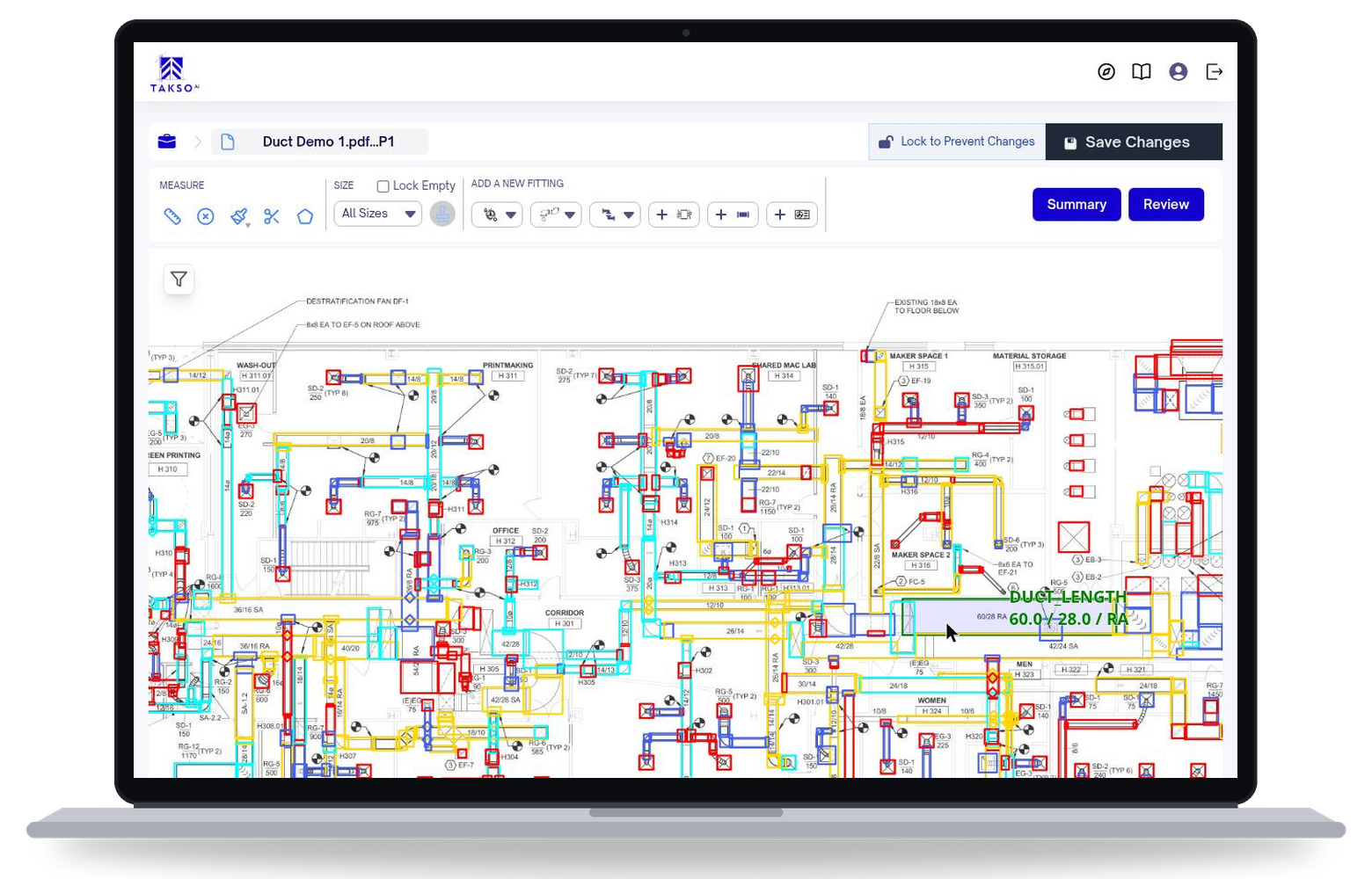
Quote mechanical contractors straight from the drawings they send you. TaksoAi detects the runs and fittings on the plans, sorts them by size, and exports the quantities your quote starts from.
Book a demoYour prices and margins stay in your own quoting sheets.
What you get from a plan set
The quantities a supplier needs to quote, not just a drawing markup.
Runs and fittings
Detected on the plan set, so you start from a count instead of a blank sheet.
Sorted by size
Quantities grouped by dimension to match the sizes you stock and quote.
Gauge by size
Assign gauges to sized runs and fittings before you price.
Weight for pricing
Poundage totals in the export for jobs you price by weight.
From the bid set to your quote
TaksoAi handles the counting. Your team checks the sizes and gauges, then prices the job in its own sheets.
Upload the bid set
Start with the drawings your customer sends for pricing. TaksoAi scans the mechanical plans for the runs and fittings on the job.
Check the quantities
Review what was detected, correct sizes, and assign gauges in the browser. Your team works from the same takeoff.
Export to your quote
Download sizes, counts, and weights as Excel or CSV, then apply your own pricing to send the quote back.
COMPARE WORKFLOWS
Three ways to turn plans into a supplier quote
Compare the work involved in counting what you supply, sorting it by size, and getting quantities into pricing. Traditional tool capabilities vary.
Scroll across to compare all three approaches.
| Capability | Manual takeoff | Traditional on-screen takeoff | TaksoAi |
|---|---|---|---|
| Starting the takeoff | Scale and count from printed sheets | Trace and count on a digital plan | AI detects runs and fittings |
| Sorting by size | Tally sizes in a notebook or worksheet | Tag sizes as you mark each item | Review quantities already grouped by size |
| Gauge and weight | Look up gauges and calculate weight by hand | Usually calculated outside the takeoff tool | Assign gauges and export poundage with the takeoff |
| Getting quantities into your quote | Retype totals into your pricing sheet | Export options depend on the tool | Export reviewed quantities to Excel or CSV |
FAQ
Questions from suppliers
Is TaksoAi only for mechanical contractors?
No. The same takeoff works for suppliers who quote from mechanical drawings. You count and size what you supply, then price it your way.
Can TaksoAi calculate weight?
Yes. Once gauges are assigned to sized runs and fittings, the export includes poundage totals for weight-based pricing.
Does TaksoAi price my materials?
No. TaksoAi produces reviewed quantities. Your material prices, margins, and quote format stay in your own sheets or quoting system.
What format is the export?
Excel or CSV. Bring an example of your quoting sheet to the demo so we can check how the export fits it.
Can we try it on one of our own jobs?
Yes. In a demo, we run one of your recent plan sets through TaksoAi so you can compare the output with how you quote today.
Run one of your plan sets through TaksoAi
Bring a recent job you quoted. We take it off together so you can compare the sizes, counts, and weights with your current process.