Plumbing estimating software
Take off pipe runs, fittings, and fixtures from commercial plumbing drawings. Review branch lines and fixture details on the plan, then export the checked quantities for your material and labor pricing.
Request a demoReview the fixture scope as well as the pipe quantities. Keep your existing pricing workflow.
Pipework and fixture scope
A plumbing takeoff needs more than pipe lengths. Check fixtures and their details alongside branches, fittings, sizes, and systems.
Plumbing fixtures
Review fixture counts alongside the pipework.
Fixture details
Adjust detected fixture details before exporting.
Pipe lengths
Review measured runs against the drawing.
Branch lines
Check branches and connections in the scope.
Fitting counts
Review detected pipe and plumbing fittings.
Pipe sizes
Check the sizes attached to measured runs.
System labels
Separate quantities by the selected plumbing system.
Editable quantities
Add pipes, remove fittings, and correct the takeoff.
Upload, review, and export
Check the fixture scope and the pipe measurements together before the quantities move into pricing.
Upload the plumbing drawings
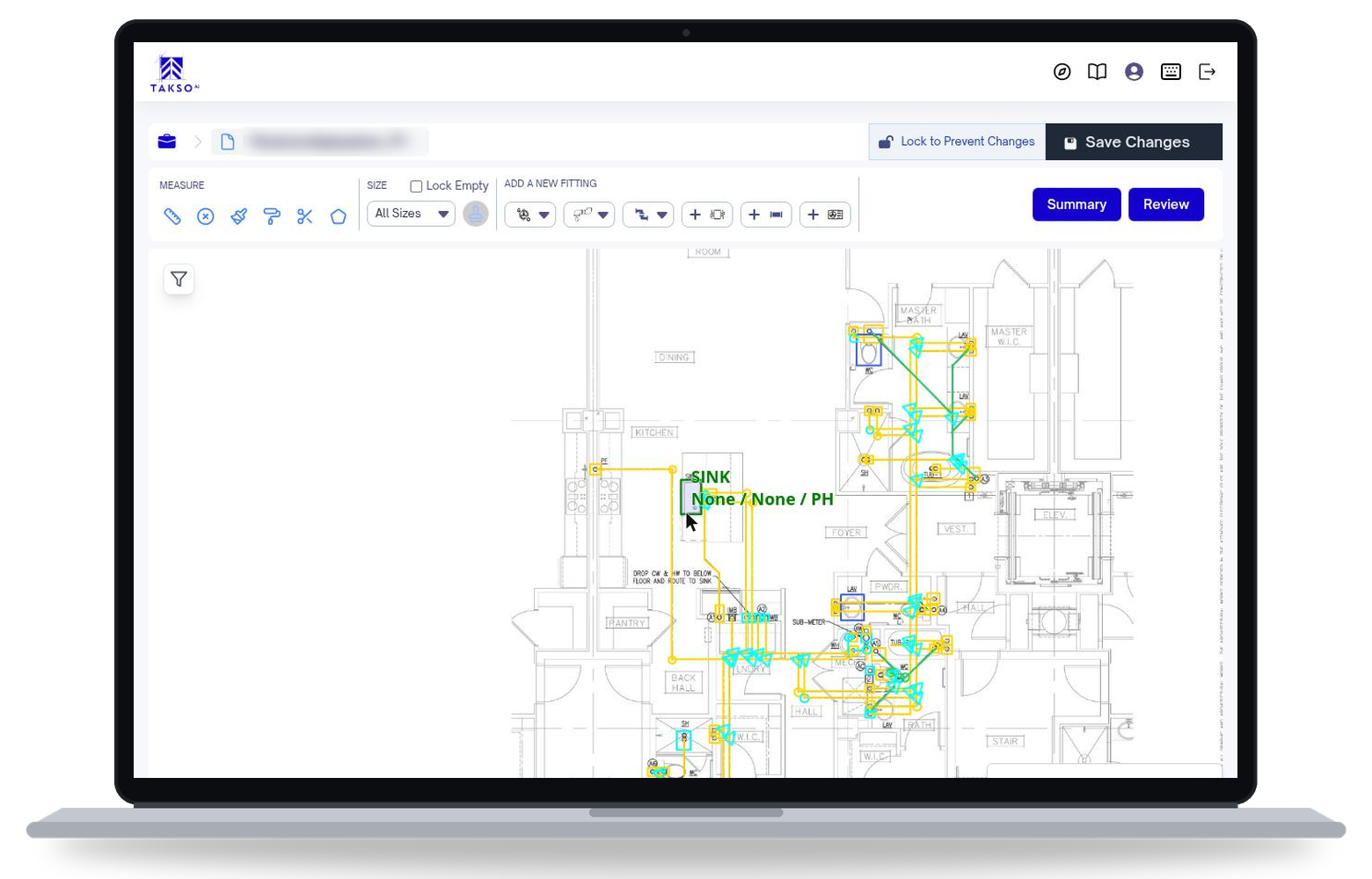
Upload your PDF plans, select the relevant systems, and set the scale. AI detects pipe runs, branch lines, fittings, and fixtures.
Review pipes and fixtures together
Check the detected pipework against the drawing. Review fixture counts and details as well as branch lines and fittings. Add missed pipes, remove fittings that do not belong, and adjust the takeoff before export. Your team can access the project in the browser.
Export the plumbing quantities
Export reviewed pipe measurements, fitting counts, and fixture quantities to Excel or CSV. Use those quantities in your existing material and labor pricing process.
COMPARE WORKFLOWS
Three ways to do a plumbing takeoff
Plumbing needs pipe measurements and a checked fixture scope. Compare how each approach captures both before the quantities enter pricing. Traditional tool capabilities vary.
Scroll across to compare all three approaches.
| Capability | Manual takeoff | Traditional on-screen takeoff | TaksoAi |
|---|---|---|---|
| Pipe runs and branches | Measure and record each run and branch | Trace pipework on a digital plan | Review detected pipe runs and branches |
| Plumbing fittings | Count fittings and record their types | Place and label fitting counts on screen | Review detected fitting types and counts |
| Fixture scope | Count fixtures and keep notes on their details | Count and label fixtures with the tool's available controls | Review fixture counts and adjust fixture details |
| Checking the takeoff | Cross-check worksheets against the plan | Review your pipe and fixture markups | Add pipes, remove fittings, and adjust detected scope |
| Moving quantities into pricing | Enter pipe, fitting, and fixture quantities in a worksheet | Export options depend on the tool | Export reviewed quantities to Excel or CSV |
FAQ
Before your next plumbing bid
How is the plumbing workflow different from piping?
Both workflows capture pipe runs and fittings. The plumbing page also focuses on fixture counts, editable fixture details, and branch lines. Review that fixture scope alongside the pipe measurements before pricing.
Can I change the detected fixtures and fittings?
Yes. TaksoAi's plumbing outputs are editable. Review fixture details, add pipes, remove fittings, and adjust the detected scope before you export.
What should we check during a plumbing demo?
Bring representative plumbing drawings. Check the fixture types, fittings, pipe sizes, and systems your team bids, then review how the quantity export fits your pricing sheet.
Does it produce a fully priced plumbing estimate?
This workflow provides reviewed takeoff quantities. Your team applies its own material and labor pricing and checks the full bid scope in its estimating process.
Can we use our existing estimating software?
TaksoAi exports quantities to Excel or CSV. Confirm the columns and import format your estimating software needs during a demo. An export does not mean a native integration with every platform.
See your plumbing workflow in TaksoAi
Bring representative plumbing drawings. Walk through pipe and fixture detection, scope corrections, and the quantity export your team needs for pricing.