
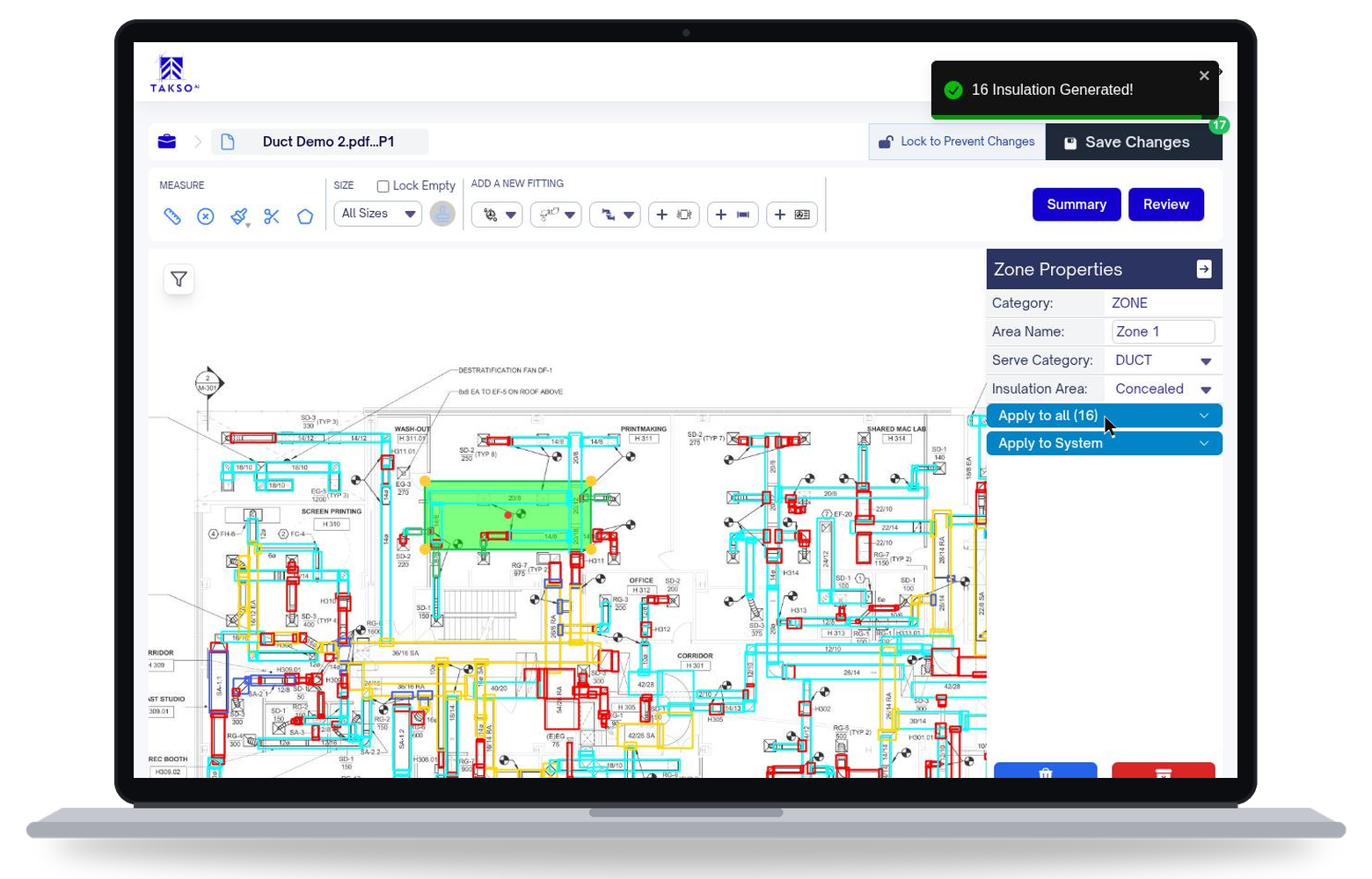
Insulation takeoff software
Take off pipe, duct, and equipment. Define insulation conditions on the plan, then export quantities organized for your pricing sheets. Built for commercial and industrial insulation estimators.
Request a demoKeep insulation conditions attached to the quantities, from plan review to your pricing sheet.
Keep the insulation conditions with the takeoff
Organize the mechanical scope by the materials and conditions your team needs to price.
Pipe and duct scope
Insulation areas
Insulation type
Cladding and wrap type
Thickness
Exposed or concealed
Square feet or metres
Custom pricing sheets
Your insulation workflow.
Insulation adds a step after detection and review. Define the conditions on the drawing before you export the quantities.
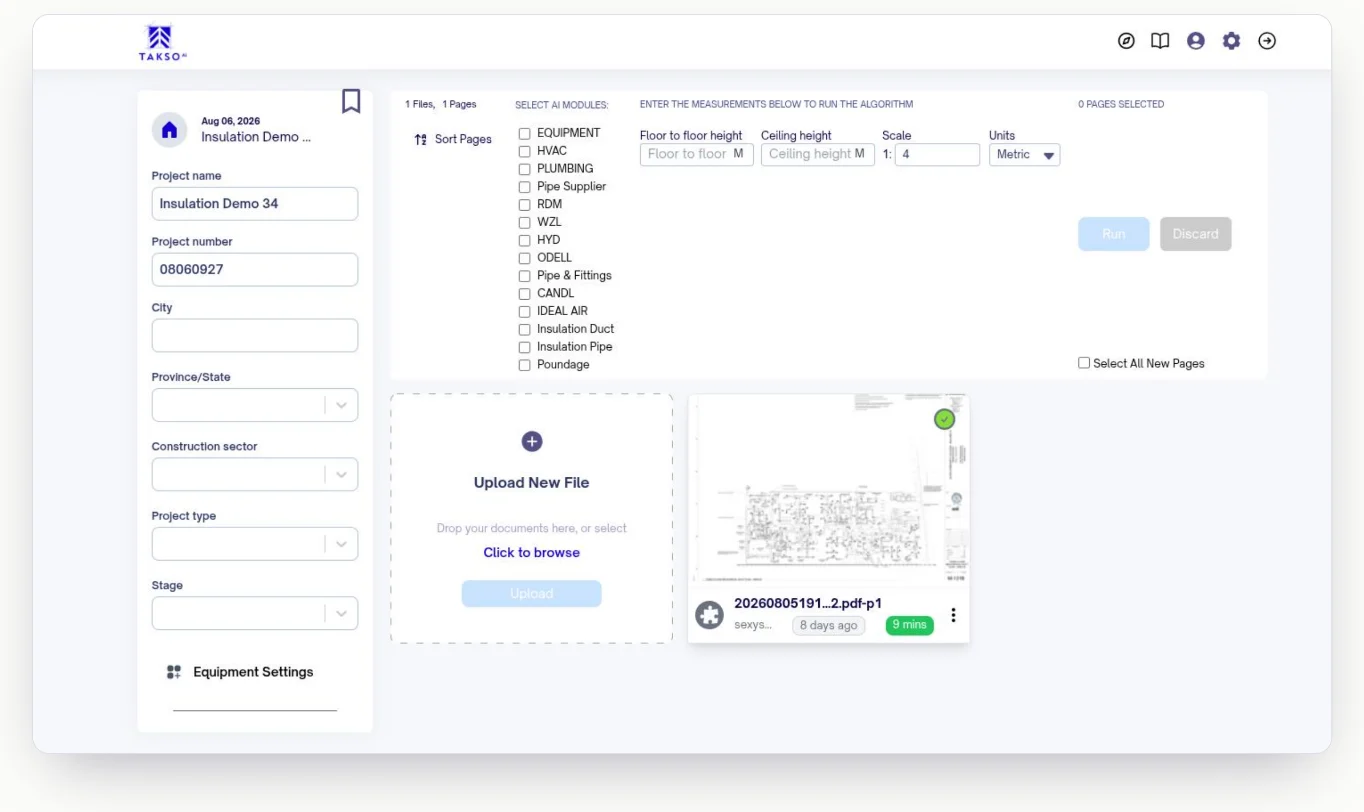
Run the takeoff
Upload plans, choose the systems to detect, and set the scale. AI-assisted plan review identifies pipe, duct, equipment, and mechanical scope.
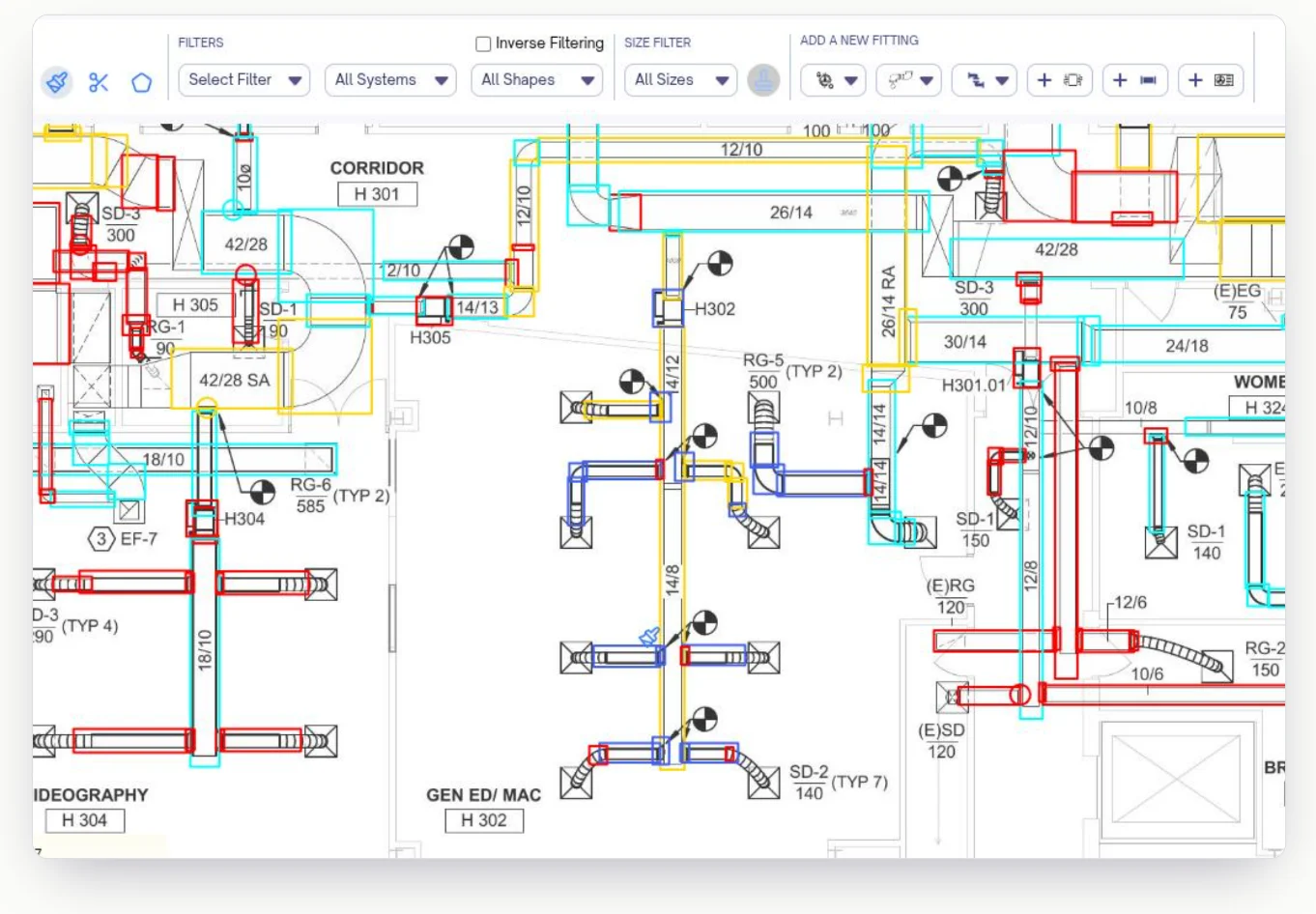
Review and refine
Check the detected pipe and ductwork against the drawing. Correct the results and check anything missed. Filter by system, shape, or size while you work. Your estimating team can access the project in the browser.
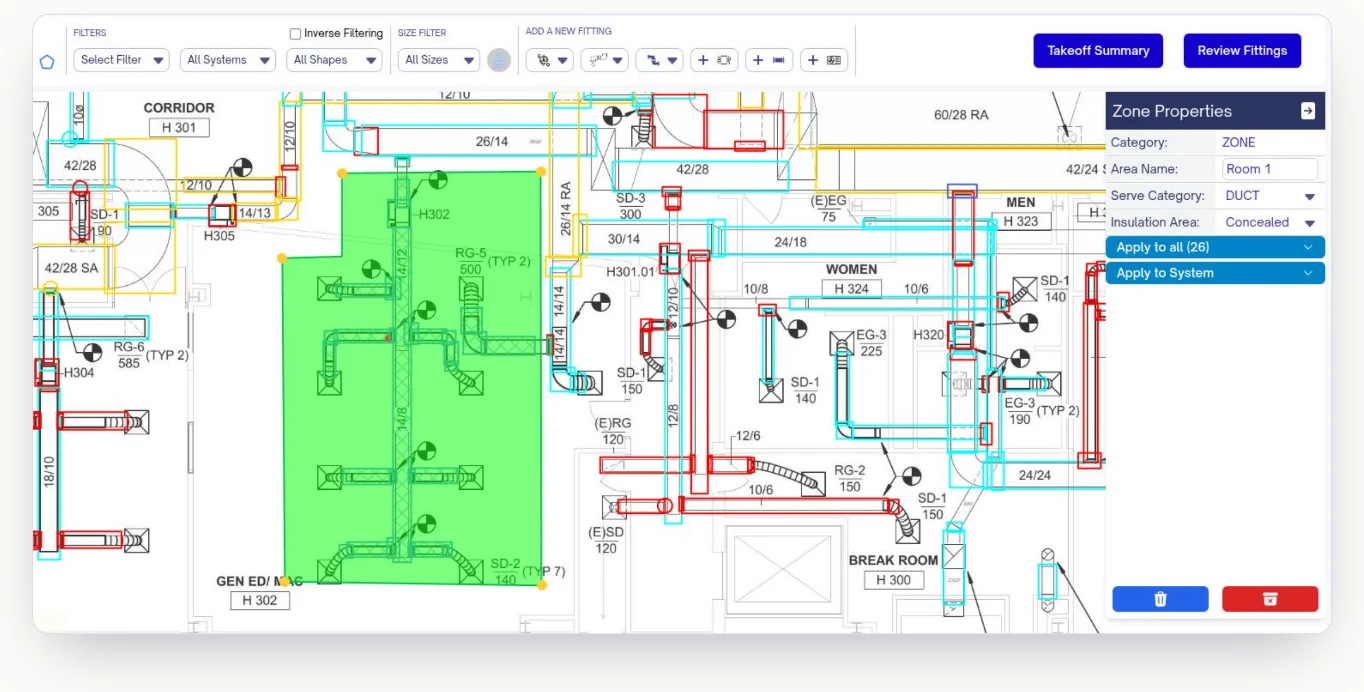
Apply insulation
Set a default for the plan, then assign insulation type, wrap or cladding, thickness, and exposed or concealed conditions to selected areas. Quantities recalculate as you edit.
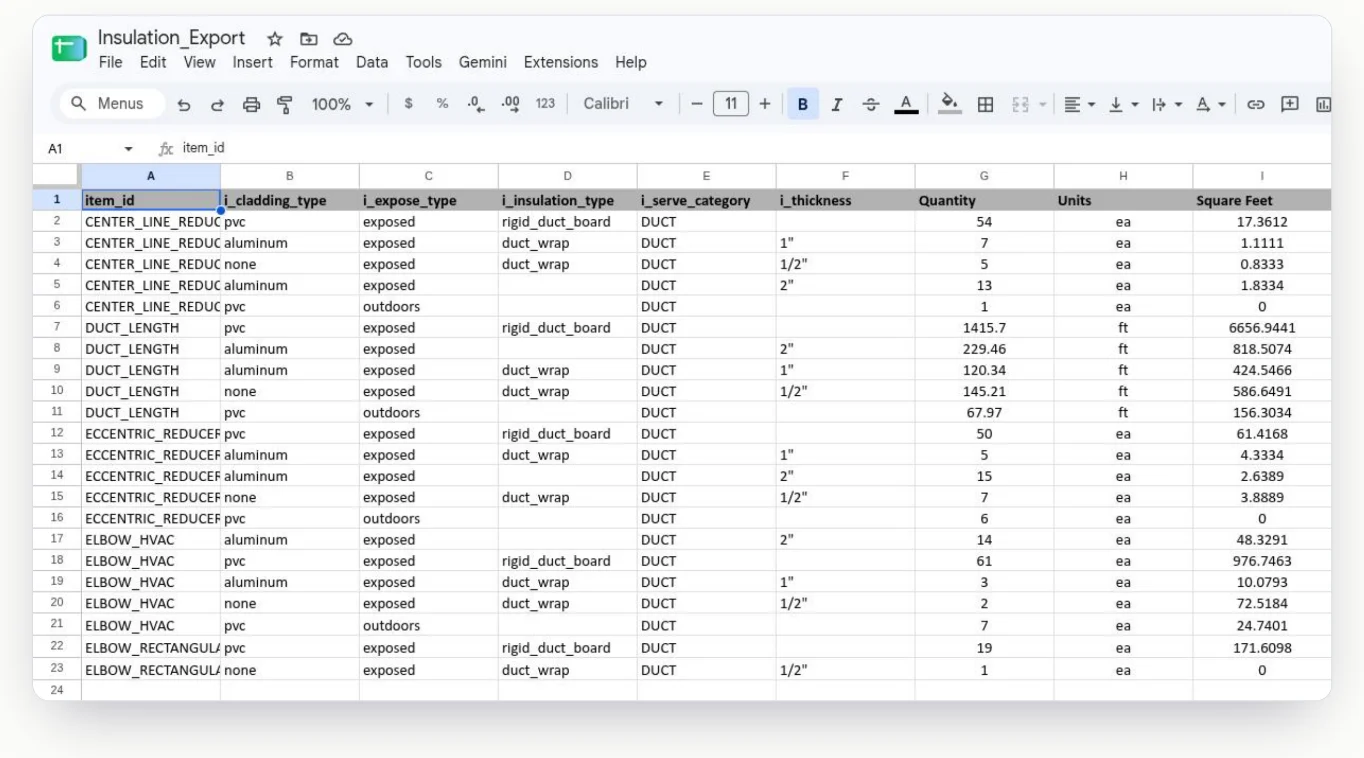
Export and price
Export to Excel, CSV, or your custom pricing sheets. Keep quantities itemized by insulation type, cladding, thickness, exposure, and area. Use square feet or square metres in your own material and labor pricing process.
COMPARE WORKFLOWS
Three ways to do a mechanical insulation takeoff
Compare manual measurement, traditional on-screen takeoff, and AI-assisted takeoff for insulation. Keep the insulation conditions and your pricing-sheet workflow in view.
Scroll across to compare all three approaches.
| Capability | Manual takeoff | Traditional on-screen takeoff | TaksoAi |
|---|---|---|---|
| Starting the mechanical takeoff | Measure pipe and duct, then record fittings | Trace and measure pipe and duct on the plan | Review AI-detected pipe, duct, and mechanical scope |
| Assigning insulation parameters | Record each condition in notes and worksheets | Some tools let you configure insulation parameters rather than use a dedicated insulation workflow | Set plan defaults and assign type, thickness, cladding, and exposure to selected areas |
| AI detection | No AI detection | No AI detection | AI detects pipe, duct, and mechanical scope for estimator review |
| Pricing workflow | Enter the breakdown into your pricing sheet | Many contractors still use their own proprietary pricing sheet | Export to Excel, CSV, or your custom pricing sheets |
FAQ
Before your next insulation bid
How is insulation takeoff different from the other trade workflows?
After detecting and reviewing the mechanical scope, apply the insulation conditions. Set a default for the plan, then assign insulation type, cladding or wrap, thickness, and exposure to selected areas before exporting.
Can quantities be separated by insulation type and exposure?
Yes. Quantities can be organized by insulation type, wrap or cladding, thickness, and exposed or concealed conditions. Area tools keep different project conditions attached to the takeoff.
Does TaksoAi report square feet or square metres?
Yes. Insulation quantities can be organized in square feet or square metres and broken out by insulation attributes for pricing and review.
Can we keep our custom pricing sheets?
Yes. TaksoAi supports Excel and CSV exports and can support custom pricing sheet integration. Bring your preferred sheet to the demo to confirm the format and any setup needed.
Does it produce a fully priced insulation estimate?
The workflow provides reviewed insulation quantities and their conditions. Your team applies its material and labor pricing and remains responsible for checking the bid scope.
See your insulation workflow in TaksoAi
Bring a plan set and your pricing sheet. Walk through detection, review, insulation areas, and the exported quantity breakdown with the TaksoAi team.